


Organic Maps・Offline Map & GPS
3.8639.00 Reviews
App Specs
- Version
- 2026.09.29-32-Google
- Updated On
- License
- Free
- Downloads
- 5,000,000+
- Developer
- Organic Maps
- Categories
- Maps & Navigation
- Platform
- Android, iOS
Screenshots
 Analysis by AppCompare
I reach for Organic Maps・Offline Map & GPS when I want a map that stays useful beyond the reach of mobile data. Its biggest strength is a clear focus: download the places you need, then use your phone’s GPS to find your way without depending on a live connection. That makes it a practical companion for trips, walks, cycling, and the ordinary moments when signal coverage lets you down. It isn’t a complete replacement for every navigation app, but for independent, offline-minded exploring, I think it earns a place on your phone.
A map that works on your terms
The first decision is to save the map for the area you plan to visit. That small bit of preparation changes how you travel: you can check streets and routes without keeping mobile data switched on just to see where you are. I’d download the relevant region before leaving home, especially if I were heading somewhere unfamiliar, then open the map once before setting out so I know the area is ready.
Organic Maps is a free navigation app from Organic Maps, and it has a 4.5 average from around 19,000 ratings. The app has been available since June 14, 2021, and its current version is 2026.05.27-11-Google. It is rated for Everyone and supports Android 5.0 and later. Those details make it approachable for a broad range of users, while the practical appeal is its offline-first approach rather than a reliance on constant connectivity.
Where offline navigation earns its keep
Offline maps are most valuable when losing signal is likely, not merely possible. Think of a rural drive, a hike where coverage comes and goes, or a city visit where you would rather not use mobile data for every turn. The GPS can still locate your position on a downloaded map, so you can orient yourself and follow your route even when the internet is unavailable. That distinction matters: GPS positioning and internet access are not the same thing.
For a weekend trip, I’d save the map before packing, mark the places I want to reach, and keep the phone charged. If a road detour or an unexpected stop changes the plan, I can still inspect the surrounding area and work out where I am. This is a calmer fallback than staring at a blank screen while waiting for a connection to return.
It’s also useful to think of the app as a map you prepare, not a magic substitute for preparation. Offline access depends on having the right area downloaded in advance. If your journey crosses into another region, you should check coverage in the app before leaving. That simple habit avoids discovering halfway through a trip that the part of the map you need was never saved.
What it does well—and where it asks for patience
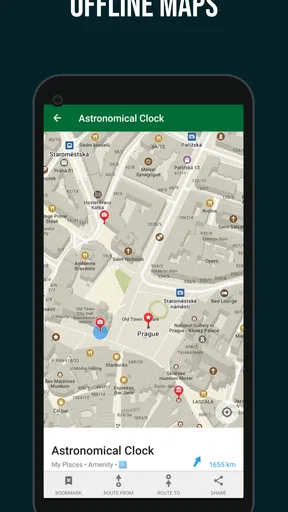
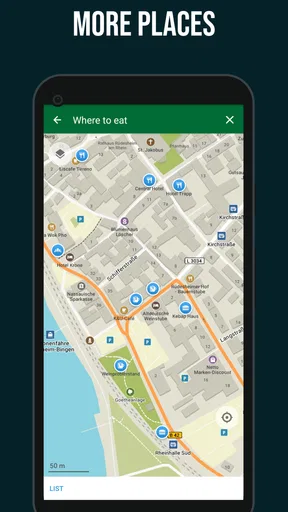
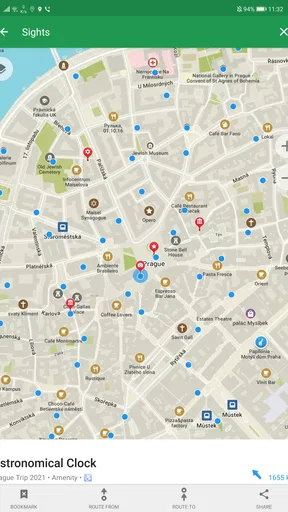
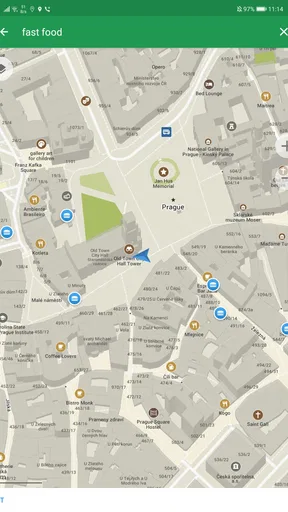
The appeal is not only that the map remains available offline. The interface feels uncluttered, and the map includes information for hiking, cycling, and places worth finding while travelling. I like that combination because it lets the same app serve both practical navigation and slower exploration. You can use it to get somewhere, then look around for nearby points of interest rather than treating the map as a line from start to finish.
Worth Reading Before You Choose

Flipboard Shows What News Apps Must Do Beyond the Feed

Switching to Android Auto Means Rethinking Your Driving Routine

Google Calendar Makes a Crowded Week Easier to Manage

Ludo King Makes the Most of the Minutes Between Plans

Baby Panda World Brings Quick Play to Modern Phones, but Its Game Library Feels Busy

ESPN’s Live Game View Makes Following Close Games Easier
There is a trade-off to that independence. An offline map cannot tell you what is happening on the road right now in the way a connected service with live traffic can. For a time-sensitive commute or a busy drive where congestion should shape the route, I would check a live-traffic navigation app as well. I see Organic Maps as a strong partner for those tools, not necessarily a reason to delete them.
New users may also need a little time to understand the workflow. Downloading a map is easy enough, but first-time travellers still need to decide what area to save and remember to do it before leaving connectivity behind. I would not call that a major flaw; it is simply the price of an app built around offline use. A quick practice run near home can make the process feel natural before a more demanding trip.
Getting Started with Organic Maps
First things first, downloading Organic Maps・Offline Map & GPS was a breeze. It’s available on both Android and iOS, so no one’s left out. Once you have it on your phone, the setup is pretty straightforward. You’ll be prompted to download maps for your area, which is super handy since it means you’re not burning through your data or getting stuck when you hit a dead zone.
The interface? Clean and intuitive. There’s something refreshing about an app that doesn’t bombard you with ads and unnecessary clutter. It feels like the developers really focused on functionality and ease of use, which is something I totally appreciate.
Features that Stand Out
Alright, let’s talk features. One of the most impressive things about this app is the offline navigation. It’s like having a trusty map in your pocket that doesn’t require any internet. Perfect for travelers or anyone who loves a good road trip.
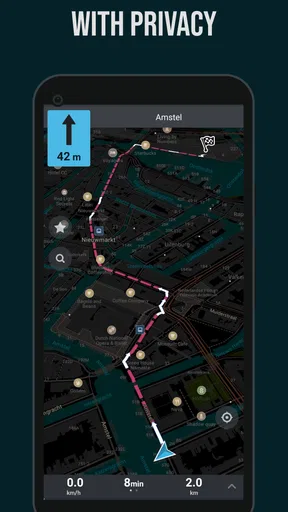
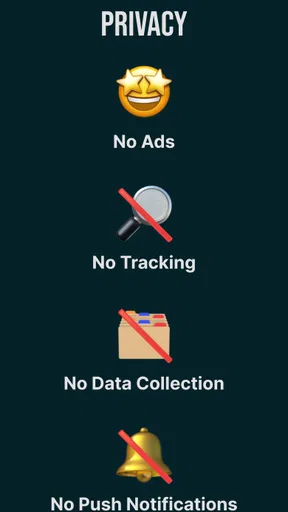
Another cool feature is their commitment to privacy. They don’t track your location or sell your data, which is a huge relief in today’s digital age. It’s nice to know that there’s a map app out there that respects your privacy.
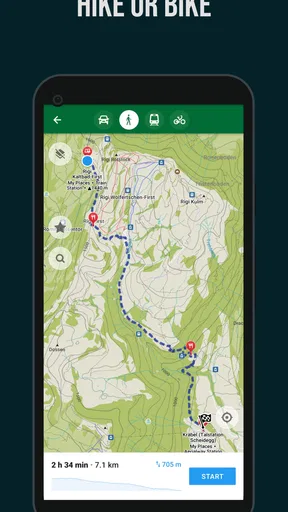
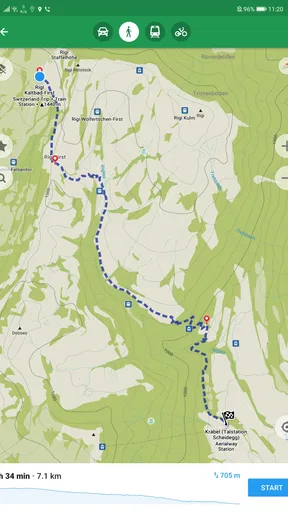
The app also includes detailed information about hiking trails, bike paths, and even places of interest. Whether you’re planning a city tour or a hike in the wilderness, this app has you covered.
Real-world Experience
Now, what’s an app review without a real-world test? I took Organic Maps with me on a weekend getaway to a remote cabin. No cell service meant I was relying entirely on the app for directions. And guess what? It didn’t disappoint. The app guided me through winding roads and forest paths without a hitch.
The GPS was surprisingly accurate, and the maps were up to date. I even discovered a few hidden gems along the way, thanks to the detailed points of interest marked on the map. It made the whole adventure feel like a treasure hunt.
Room for Improvement?
Of course, like any app, Organic Maps isn’t perfect. While it excels in offline navigation, it doesn’t offer some of the live traffic updates that you might find in other apps. So, if you’re hitting a busy highway, you might want to double-check your route elsewhere.
Another thing to consider is that while the app is rich in features, it could benefit from a more extensive tutorial for first-time users. A little guidance could go a long way in helping users make the most of all the features available.
Choosing it for the right kind of trip
I’d recommend Organic Maps to people who travel beyond reliable coverage, walk or cycle with a route in mind, or simply want a usable map without leaning on mobile data. It also suits anyone who prefers to explore by looking at the map and nearby places rather than following a stream of online prompts. If you mostly navigate familiar streets and want automatic traffic-aware rerouting, a mainstream connected maps app may be the more convenient everyday default.
A realistic use is a day trip that starts in town and ends on a trail. Before leaving, I’d download the area, check that the destination and return route fall within it, and use the map to keep track of my position along the way. If plans change, I can inspect nearby roads and paths rather than relying on a search that needs a connection. I’d still bring a charged phone and use common sense outdoors; a digital map helps with orientation, but it does not replace preparation or judgement.
Small habits that make it more dependable
One useful habit is to download a broader area than the exact destination. A walk or drive can change direction, and a little map coverage beyond the planned route gives you room to adapt. Before travelling, I’d also zoom around the saved area and confirm that the roads or trails I expect to use are visible. This is an easy way to catch a mismatch between a planned itinerary and the map you have offline.
For cycling and hiking, I’d treat the mapped route as a guide rather than a guarantee. Paths can be difficult to interpret on a small screen, and conditions on the ground may differ from what a map suggests. Checking the route beforehand and keeping an eye on landmarks can make the phone less distracting and the journey more comfortable. The app’s value here is that it keeps orientation available without requiring a signal, not that it removes every uncertainty from being outdoors.
Another practical trade-off is storage and battery planning. Offline maps need to be downloaded onto the device, so I would save only the places relevant to my trip and make sure the phone has enough charge for navigation. GPS use can matter during a long outing, so carrying a power bank is sensible if I expect to rely on the screen for hours. These are ordinary travel precautions, but they are especially worth remembering when the app is serving as a backup in a remote area.
How it compares with connected map apps
Compared with familiar online-first navigation apps, Organic Maps puts less emphasis on live conditions and more on having a usable map when the network disappears. That distinction makes the choice straightforward: for a daily commute where traffic and changing road conditions are central, I’d keep a connected alternative handy; for travel, trails, and low-signal areas, I prefer having this offline option prepared. Neither approach wins every situation, and using both can be more sensible than expecting one app to do everything.
It also feels different from relying on a paper map. A paper map never needs charging or a download, but it cannot show your phone’s GPS position in the same way. Organic Maps offers that quick orientation while retaining the need to plan ahead and look at the route thoughtfully. I find that balance useful when I want more freedom than turn-by-turn prompts alone provide, though people who want a highly guided, continuously updated journey may find it less reassuring.
Who should pass, and who should keep it
I would skip it as a sole navigation tool if my priority were live traffic, constant online updates, or the simplest possible hands-free guidance through a dense city at rush hour. In those situations, a connected navigation service is a better fit. I would also avoid depending on any offline map without first saving the area and checking that the phone is ready; the app cannot help with an area that is not available on the device.
For everyone else, the choice comes down to how often connectivity is unreliable and how much control you want over your route. The fact that Organic Maps has over five million installs suggests it has found a sizable audience, while its 487 written reviews offer a useful reminder that ratings are only one part of deciding whether its approach suits you. I’d try it on a familiar local walk first, learn how map downloads work, then keep it ready for the trip where a signal is no longer something you can count on.
Final Thoughts
In conclusion, Organic Maps・Offline Map & GPS is a solid choice for anyone looking to explore without the constant need for an internet connection. It’s reliable, user-friendly, and respects your privacy, which is a rare find these days.
Whether you’re a frequent traveler, an outdoor enthusiast, or just someone who wants a backup plan when the signal drops, this app is worth checking out. It’s like having a trusty map and a compass in your pocket, ready for any adventure!
Pros
- Completely free with no ads or subscriptions.
- Offline maps ensure access without internet.
- Open-source with regular community updates.
- Simple and intuitive user interface.
- Privacy-focused with no data tracking.
Cons
- Limited features compared to paid apps.
- Occasional map inaccuracies in remote areas.
- No real-time traffic updates available.
- Lacks detailed points of interest information.
- Fewer customization options for navigation.
FAQs for Organic Maps・Offline Map & GPS
What is Organic Maps and how does it differ from other mapping apps?
Organic Maps is an offline map and GPS navigation app designed for travelers who prefer privacy and offline accessibility. Unlike other mapping apps that require constant internet connectivity, Organic Maps allows users to download maps for offline use, ensuring navigation without data charges. It also emphasizes user privacy by not tracking user data or requiring an account to use its features.
How can I download maps for offline use in Organic Maps?
To download maps for offline use in Organic Maps, open the app and navigate to the region you wish to download. Tap on the download icon, select the specific areas or countries, and confirm your selection. The app will store the maps on your device, allowing for offline navigation without the need for internet access.
Does Organic Maps support turn-by-turn navigation?
Yes, Organic Maps supports turn-by-turn navigation. Once you have downloaded the necessary maps, you can enter your destination, and the app will guide you with voice instructions and visual cues. This feature works seamlessly offline, making it an excellent tool for travelers in areas with limited internet access.
Is Organic Maps available on both Android and iOS devices?
Organic Maps is available for both Android and iOS platforms. Users can download the app from the Google Play Store or the Apple App Store, ensuring compatibility with a wide range of devices. The app is regularly updated to improve functionality and add new features to both operating systems.
How does Organic Maps ensure user privacy?
Organic Maps prioritizes user privacy by not collecting or storing personal data. The app operates without requiring an account, and it does not track user location or usage patterns. All map data is stored locally on the device, ensuring that your navigation activities remain private and secure.


